Mac Studio M5 Ultra 256GB Review 2026: The Local AI Machine Question
Is the Mac Studio M5 Ultra with 256 GB the local AI killer? An honest roundup without the hardware: which MLX models fit in 256 GB with real context, what eight RTX 5090s actually cost at 2026 street prices, the 5 kW power bill versus 385 W, the 512 GB version due in late October, and where Linux on ARM really stands.
Pros
- + 256 GB of unified memory the GPU can address, 1.2 TB/s bandwidth
- + Runs 70B to 350B class MLX models with long context on a desk
- + Cheapest machine per gigabyte of accelerator memory by a wide margin
- + 385 W maximum draw, any wall socket, near silent
- + Prompt processing 2.5x the M3 Ultra thanks to GPU Neural Accelerators
- + 512 GB option announced for late October for frontier scale models
Cons
- - From 9,499 dollars or 10,999 euros, some configs already ship in January 2027
- - One RTX 5090 still beats it on prompt processing for models that fit in 32 GB
- - No CUDA, no serious training, MLX conversions lag new architectures
- - Memory is fixed at checkout, no upgrade path except a second machine
- - No Linux: Asahi has no M4 or M5 support and the Mac Studio is unsupported
- - 512 GB price unknown, memory supply already delaying deliveries
Verdict
The cheapest way to run 100B to 350B open models with a real context on a desk, five to six times less than an eight 5090 rig that needs an electrician, but a closed platform with a fixed memory ceiling and a single consumer card still ahead on prompt processing.
Opinion Roundup: Mac Studio M5 Ultra with 256 GB, the Local AI Machine Question
A note before you read
I do not own this machine. At 10,999 euros for the 256 GB configuration I am not going to own it any time soon either. What follows is not a hands on review. It is a structured reading of Apple's own specifications and pricing, of the independent benchmarks published by outlets that did get a review unit (MacStories, Tom's Hardware, Computerworld, Ars Technica), of the Hugging Face model cards of the MLX community, and of the current street prices of NVIDIA hardware in Europe and the United States. Every number below has a source linked at the end. Where I estimate, I say so. The opinions are mine.
Every few months the local AI community elects a new dream machine. For a while it was a pair of used 3090s. Then it was the M2 Ultra, then the M3 Ultra with 512 GB, then the DGX Spark, then the Strix Halo mini PCs. Now it is the Mac Studio with the M5 Ultra, and the pitch is simple: 256 GB of memory that the GPU can address directly, in a box that sits on a desk, plugs into a normal wall socket, and makes less noise than a laptop. The question this article asks is the one I would ask before spending the price of a small car: is this actually the local AI killer, or is it the best option only because the alternative is absurd?
What Apple Actually Announced
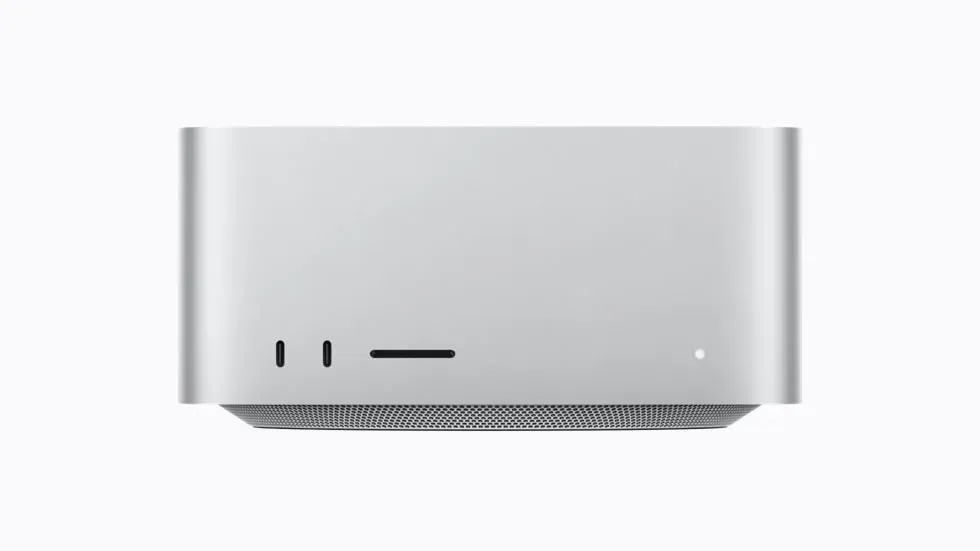
Apple introduced the new Mac Studio on 25 August 2026, with the M5 Max and the M5 Ultra. The Ultra is the first quad die chip in the M family, four dies fused with UltraFusion at over 4.4 TB/s between them. The base Ultra has a 30 core CPU and a 64 core GPU, the top configuration a 36 core CPU and an 80 core GPU, with Neural Accelerators in every GPU core, a 32 core Neural Engine, and 1.2 TB/s of unified memory bandwidth, which Apple says is 50 percent more than the M3 Ultra. Memory starts at 96 GB and goes to 256 GB, with a 512 GB option that Apple lists on the spec page but does not sell yet: it is coming in late October, without a published price. Six Thunderbolt 5 ports, 10 Gb Ethernet, storage up to 16 TB.
The prices are where the conversation starts. In the United States the M5 Ultra starts at 5,499 dollars with 96 GB. The jump to 256 GB costs 4,000 dollars, so the configuration this article is about starts at 9,499 dollars. In Germany the same machine is 10,999 euros, and a fully loaded 256 GB, 16 TB, 80 core unit reaches 20,679 euros. MacGeneration's French test unit, 36 cores, 80 GPU cores, 256 GB, came to 16,279 euros. Delivery dates for some configurations already slipped to January 2027, with memory supply reported as the reason. So when you read "the 512 GB is coming in October", read it as "the 512 GB is coming when there is enough RAM on the planet to build it", and expect it to sit well above 13,000 dollars.
The Only Number That Matters: Memory
A large language model has to sit entirely in memory that the accelerator can reach at high bandwidth. That is the whole game. Raw compute decides how fast the machine reads your prompt, bandwidth decides how fast it writes the answer, but memory capacity decides whether the model runs at all. On a PC the accelerator memory is the VRAM on the graphics card, and the biggest consumer card NVIDIA sells, the RTX 5090, has 32 GB. On the Mac the accelerator memory is the system memory, all of it. So the correct comparison for a 256 GB Mac Studio is not one 5090. It is eight of them.
Here is what that memory buys you in practice, using the actual sizes of the quantized MLX models published by the mlx-community organization on Hugging Face. The context column is my own arithmetic from the published architectures: the KV cache of the running conversation also has to fit, and it grows with every token you send.
| Model (MLX quantization) | Weights | KV cache at 128K context (fp16, estimate) | Fits in 256 GB? |
|---|---|---|---|
| Llama 3.3 70B, 8-bit | 75 GB | ~40 GB | Yes, with room to spare |
| gpt-oss-120b, MXFP4 | 63 GB | ~9 GB | Yes, you could run three |
| Mistral Large 123B, 4-bit | 69 GB | ~46 GB | Yes |
| Qwen3 235B-A22B, 4-bit | 132 GB | ~24 GB | Yes, comfortable |
| Qwen3 235B-A22B, 6-bit | 191 GB | ~24 GB | Yes, but tight with macOS on top |
| Qwen3 235B-A22B, 8-bit | 250 GB | ~24 GB | No, nothing left for context |
| GLM-4.6 353B, 4-bit | 199 GB | ~48 GB | Yes at 64K, not at 128K |
| Qwen3 Coder 480B-A35B, 4-bit | 270 GB | ~33 GB | No, needs the 512 GB |
| DeepSeek V3 / R1 671B, 4-bit | 378 GB | ~9 GB (MLA) | No, needs the 512 GB |
| Kimi K2, 4-bit | 578 GB | n/a | No, not even in 512 GB |
Read the table twice. The 256 GB machine runs every 70B to 235B class model at a quality quantization with a real working context, and the newer mixture of experts models from 2026 that reviewers have been testing, Qwen3.8 Flash Next at around 155 GB, GLM-5.3 Flash at around 178 GB, DeepSeek V4 Flash at 151 GB. What it does not run is the frontier tier: the full DeepSeek, the 480B coder, GLM-5.2. Those are exactly the models the 512 GB option exists for, and the reason the delay matters. If your goal is "the biggest open model that exists, at home", the 256 GB is the wrong configuration and you are waiting for October. If your goal is "a very good model with a long context, all day, on my desk", the 256 GB is already the right one.
How Fast Is It, According to People Who Have One
The most rigorous numbers so far come from MacStories, which tested a 256 GB, 80 core unit against an M3 Ultra with 512 GB. On Qwen3.8 Flash Next, a mixture of experts model at around 155 GB, the M5 Ultra generated 108 tokens per second at a 16K context, against 70 on the M3 Ultra, and 75 tokens per second at a 256K context, against 39. Prompt processing was 2,887 tokens per second at 16K, two and a half times the M3 Ultra. Across their tests the average gain was about 70 percent in generation and 150 percent in prompt processing, and prompt processing was the historical weakness of Apple Silicon. The Neural Accelerators in the GPU cores are doing what Apple said they would do.
Tom's Hardware measured a 27B dense model in llama.cpp at 46 tokens per second with an empty context and 30 tokens per second with 128K of context filled, which they described as double the M4 Max and almost four times the DGX Spark. For larger dense models, the numbers circulating for Llama 3.3 70B at 4-bit, around 40 to 50 tokens per second, come from aggregators rather than from a rigorous test, so treat them as plausible rather than proven. For the 512 GB tier, the reference point is the M3 Ultra running DeepSeek R1 at 4-bit at 17 to 18 tokens per second; scaling by bandwidth alone, the M5 Ultra should land in the mid twenties, which is a usable chat speed for a 671B parameter model in a silent box.
Now the part the Apple keynote did not dwell on. In the same MacStories test, a single RTX 5090 processed prompts for a 27B model at 3,031 tokens per second against 1,701 on the M5 Ultra, and generated at 59 tokens per second against 48. One consumer card, on a model that fits in its 32 GB, is still faster than the entire Ultra. The Mac wins on capacity, not on speed. Anyone who tells you the M5 Ultra beats NVIDIA is talking about models NVIDIA's consumer cards cannot load at all.
The Comparison Everyone Gets Wrong: What Eight 5090s Actually Cost
This is the section I wanted to write. The internet loves the line "a 5090 is 2,000 dollars, the Mac is 10,000, so you could buy five 5090s". Let us do it properly.
The RTX 5090 has a list price of 1,999 dollars, and in Europe an official price that NVIDIA cut to 2,229 euros in March 2025. That price exists on NVIDIA's website and nowhere else. In September 2026 Tom's Hardware reported that first party stock in the United States had almost completely evaporated, with the last first party listings at 5,199 dollars and third party sellers asking between 6,500 and 9,500 dollars. Micro Center had cards in store at 4,299. In Germany, Geizhals on 27 September lists the cheapest MSI card at 5,741 euros, Gigabyte at 5,849, and the Founders Edition at 5,999.99. ComputerBase reports stock declining and end of life rumours. The 2,229 euro card is a fiction. The real card costs between 5,300 and 6,000 euros, when you can find one.
Then there is the machine around the cards. Eight 575 W GPUs need a platform with 128 PCIe lanes: a Threadripper PRO or an EPYC, a motherboard such as the ASUS WRX90E-SAGE at around 1,459 dollars, 256 to 512 GB of ECC memory, two or three 1,600 W power supplies or a single 3,000 W unit, an open frame or server chassis with PCIe 5.0 risers because eight triple slot cards do not fit in seven slots, and cooling for the whole thing. My rough estimate for the platform alone is 8,000 to 14,000 dollars. Comino, one of the few vendors who sold an eight 5090 turnkey system, quoted around 50,000 euros when the card was still 2,300 euros, and today lists at most two 5090s in a workstation.
| 256 GB of accelerator memory | Mac Studio M5 Ultra 256 GB | 8 x RTX 5090 on paper | 8 x RTX 5090 in reality |
|---|---|---|---|
| GPUs or chip | included | 8 x 2,229 EUR = 17,832 EUR | 8 x ~5,741 EUR = ~46,000 EUR |
| Platform (CPU, board, RAM, PSUs, chassis, risers) | included | ~8,000 to 14,000 USD | ~8,000 to 14,000 USD |
| Total | 9,499 USD / 10,999 EUR | ~28,000 EUR | ~55,000 to 75,000 USD, ~60,000 EUR |
| Memory bandwidth | 1.2 TB/s, one pool | 1.8 TB/s per card, no NVLink | same |
| Power at the wall under load | 385 W max per Apple, ~75 W measured in a transcode test | ~5 kW (4.6 kW of GPUs plus platform) | ~3.6 kW with the cards power limited to 400 W |
| Electricity at 0.30 EUR per kWh | 0.12 EUR per hour at max, 0.02 typical | 1.50 EUR per hour, ~1,100 EUR per month if left running | ~1.10 EUR per hour |
| Fits a household circuit? | Yes, any socket | No: 16 A x 230 V is 3.7 kW in Europe, 15 A x 120 V is 1.8 kW in the US | Dedicated 32 A line or two circuits |
The electricity and circuit rows are my arithmetic from the published TDPs and standard residential breakers. Even four 5090s, at roughly 2.7 kW, exceed a US 15 amp circuit and sit at the limit of a European 16 amp one. Eight of them dissipate about 17,000 BTU per hour, which is the output of a room air conditioner running in reverse. And because the 5090 has no NVLink, the eight cards talk to each other over PCIe, so a model split across them does not get eight times the bandwidth. It gets one card's bandwidth per layer, plus overhead. The rig wins on prompt processing and on anything that scales with raw compute, training and fine tuning above all. It does not win on the thing people buy it for, which is running one big model as one big model.
The honest comparison is per gigabyte
At 10,999 euros the Mac Studio costs about 43 euros per gigabyte of accelerator memory, all in, machine included. At today's street price a 5090 costs about 180 euros per gigabyte before you buy anything to put it in. The professional route, three RTX PRO 6000 Blackwell cards with 96 GB each, gives 288 GB for around 39,000 euros in Germany and 48,000 dollars on NVIDIA's own store, where the card's price rose from 8,565 dollars at launch to 16,000. That is 135 euros per gigabyte, still three times the Mac. The M5 Ultra is not a cheap machine. It is the cheapest machine in its memory class by a wide margin, and that is a different claim, and it is true.
What the Mac Cannot Do
Four things, and they matter more than the benchmarks. First, CUDA. The research code, the training frameworks, the quantization tools, the inference servers, the day one support for every new architecture: it all ships on NVIDIA first and everywhere else later, if at all. MLX is excellent and the community converts most popular models within days, but "most" and "days" are the operative words. Second, training. The M5 Ultra will fine tune a small model and it will do LoRA on a mid sized one, but nobody trains seriously on it, and the raw compute gap to a single 5090 on prompt processing tells you why. Third, expandability. The memory you order is the memory you die with. There is no slot, no second card, no upgrade path. If you buy 256 GB and DeepSeek V4 turns out to need 300, your option is a second Mac Studio over Thunderbolt 5. Fourth, the platform, and this deserves its own section.
A Note on Linux, ARM, and Where We Stand in 2026
Every time a Mac becomes interesting as a server, the same question comes back: can I run Linux on it? For the M5 Ultra Mac Studio the answer is no, and not "not yet" in the optimistic sense. Asahi Linux, the project that reverse engineers Apple Silicon, added M3 support for MacBooks and the iMac in September 2026, after years of work, and the M3 Mac Studio is still explicitly unsupported. On M3 there is no sleep, HDMI is disabled, and the GPU driver is not performant yet. M4 has no installer and every feature is marked to be announced. M5 does not appear on the Asahi site at all. The Neural Engine is unusable from Linux on any generation. So the honest timeline for Linux on an M5 Ultra is measured in years, and the machine will be obsolete before it is a Linux box. You buy this machine for macOS, or you do not buy it.
The wider ARM Linux story is better, but only in specific places. Ubuntu 26.04 LTS ships an official arm64 desktop image, and on Apple Silicon that means virtual machines in UTM or Parallels, which are fine for development and useless for the GPU. On Snapdragon X Elite laptops the same image installs, with rough edges reported around EFI variables. Where ARM Linux is genuinely first class in 2026 is the machine NVIDIA built for it: the DGX Spark, a 20 core ARM system with 128 GB of memory that boots an Ubuntu derived DGX OS with full CUDA. It costs 4,699 dollars after February's price increase, and around 6,100 to 7,000 euros in Europe, and its 273 GB/s of bandwidth is less than a quarter of the M5 Ultra's, which is why the Mac is almost four times faster in Tom's Hardware's test. Two Sparks give you 256 GB for about the price of the Mac at a quarter of the speed.
The alternative I find most interesting for a developer who wants Linux is AMD's Strix Halo. A GMKtec EVO-X2 with 128 GB is about 2,200 dollars, a Framework Desktop with 128 GB about 2,459. They run mainline Linux with full driver support, they run gpt-oss-120b at 34 to 55 tokens per second depending on the backend, and two of them cost less than half of one Mac Studio. They are also slower, capped at 128 GB per box, and the ROCm versus Vulkan situation is still a hobby in itself. But they are the only entry in this comparison where "I own the whole stack" is literally true.
So, Is It the Local AI Killer?
For one specific person, yes. That person wants to run 100B to 350B class open models with a long context, privately, on a desk, all day, without a dedicated electrical circuit, without a server room, and without a second job maintaining a GPU rig. For that person there is nothing else on the market at this price, and the gap is not close: the NVIDIA equivalent costs five to six times more and needs an electrician. The 512 GB version, when it ships, extends the same argument to the frontier tier, at a price nobody knows yet.
For everyone else, no. If your models fit in 32 GB, one 5090 is faster and a used 3090 is a tenth of the price. If you train, you want NVIDIA. If you want Linux, you want Strix Halo or a Spark. If you want the absolute fastest prompt processing for agentic workloads that reread a large codebase on every turn, the 5090 is still ahead per model, and the Mac's advantage shrinks as the context grows. And if you are buying on the promise of the 512 GB, wait for the price before you get attached.
My rating reflects that split. Four out of five, without having touched it: the best machine in its class by a distance, held back by a closed platform, a prompt processing gap to one consumer card, a memory ceiling you cannot change after checkout, and a delivery calendar that already reads January.
Sources and Further Reading
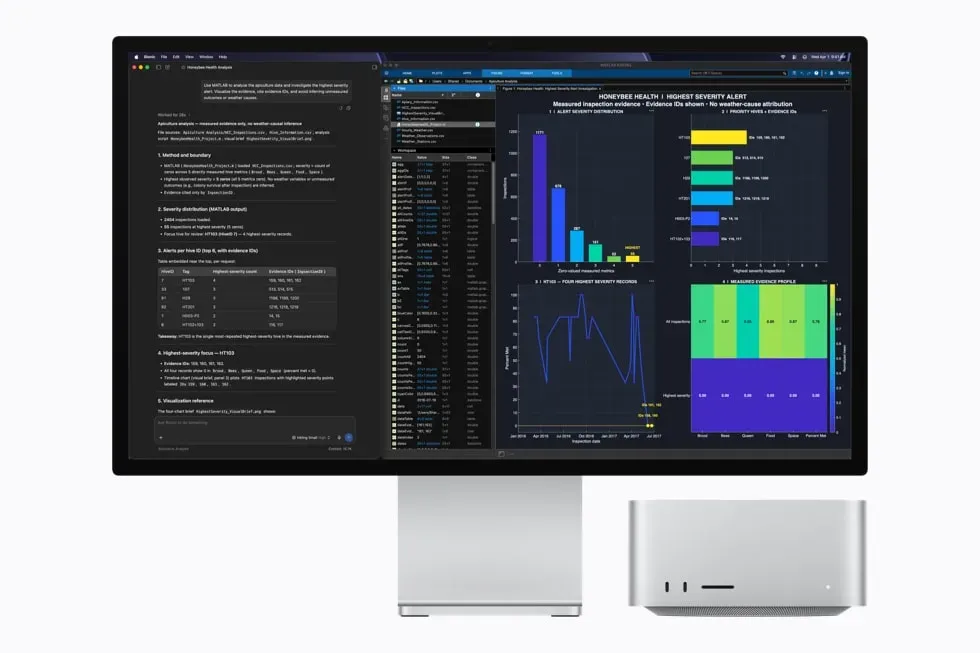
Announcement, specifications and base prices from the Apple Newsroom press release, the Mac Studio tech specs and Apple's power consumption and thermal output document. Configuration prices from AppleInsider, ComputerBase (Germany) and MacGeneration (France). 512 GB timing and delivery delays from MacRumors and Macworld. LLM benchmarks from the MacStories review, the Tom's Hardware review, the Computerworld review and the llama.cpp Apple Silicon performance table. M3 Ultra DeepSeek reference from MacRumors. Model sizes from the mlx-community model cards on Hugging Face. RTX 5090 specifications from NVIDIA; US availability from Tom's Hardware; European prices from ComputerBase and Geizhals; RTX PRO 6000 pricing from Tom's Hardware. Linux on Apple Silicon from the Asahi Linux M3 announcement and the M4 feature support page. DGX Spark from IntuitionLabs; Strix Halo from the Tom's Hardware GMKtec EVO-X2 review and the Level1Techs benchmark thread. Product images are Apple press images from the Apple Newsroom.
Published September 2026. This is an opinion roundup, not a hands on review. The author does not own a Mac Studio M5 Ultra and has not tested the machine. Prices are those observed on 27 and 28 September 2026 and change daily, especially for NVIDIA cards. Electricity and circuit figures are the author's arithmetic from published specifications. CodeHelper has no commercial relationship with Apple, NVIDIA or AMD.
Frequently Asked Questions
Which LLMs can the Mac Studio M5 Ultra 256 GB run locally?
With MLX quantizations from the mlx-community, the 256 GB configuration runs Llama 3.3 70B at 8-bit (75 GB), gpt-oss-120b (63 GB), Mistral Large 123B at 4-bit (69 GB), Qwen3 235B at 4-bit (132 GB) or 6-bit (191 GB), and GLM-4.6 at 4-bit (199 GB), all with a working context of 64K to 128K tokens. DeepSeek V3 and R1 at 4-bit (378 GB) and Qwen3 Coder 480B (270 GB) need the 512 GB model. Kimi K2 at 4-bit (578 GB) does not fit even in 512 GB.
How much does the Mac Studio M5 Ultra with 256 GB cost?
The M5 Ultra starts at 5,499 dollars with 96 GB, and the 256 GB upgrade adds 4,000 dollars, so the 256 GB configuration starts at 9,499 dollars in the US and 10,999 euros in Germany. A fully loaded 256 GB, 16 TB, 80 GPU core unit reaches 20,679 euros. The 512 GB option is announced for late October 2026 without a published price, and some configurations already show January 2027 delivery dates.
Is the Mac Studio M5 Ultra faster than an RTX 5090 for local AI?
No, not per model. In the MacStories test a single RTX 5090 processed prompts for a 27B model at 3,031 tokens per second against 1,701 on the M5 Ultra, and generated at 59 tokens per second against 48. The Mac wins on capacity, not speed: it loads models that eight 5090s would be needed to hold. For anything that fits in 32 GB of VRAM, one 5090 is faster and much cheaper.
How much would eight RTX 5090s cost compared to the Mac Studio?
The RTX 5090 lists at 1,999 dollars or 2,229 euros, but in September 2026 first party stock has almost disappeared: Geizhals lists the cheapest card in Germany at 5,741 euros and US third party sellers ask 6,500 to 9,500 dollars. Eight cards cost around 46,000 euros, plus 8,000 to 14,000 dollars for a Threadripper or EPYC platform, multiple 1,600 W power supplies, chassis and risers. The rig draws about 5 kW, more than a 16 A European circuit or a 15 A US circuit can deliver, against 385 W maximum for the Mac.
Can you run Linux on the Mac Studio M5 Ultra?
No. Asahi Linux added M3 support for MacBooks and the iMac in September 2026, and the M3 Mac Studio is still unsupported. M4 has no installer and M5 is not mentioned. The Neural Engine is not usable from Linux on any generation. Developers who want Linux with a lot of memory for local AI should look at AMD Strix Halo machines with 128 GB, such as the Framework Desktop or GMKtec EVO-X2, or the NVIDIA DGX Spark, which runs an Ubuntu based OS on ARM with CUDA.
Should I wait for the 512 GB Mac Studio M5 Ultra?
Only if you need frontier scale models. The 512 GB configuration is required for DeepSeek V3 and R1 at 4-bit, Qwen3 Coder 480B and GLM-5.2. It is announced for late October 2026, the price has not been published, and memory supply is already delaying 256 GB deliveries. For 70B to 350B class models with a long context, the 256 GB configuration is already the right choice.
Related
CodeHelper is free and ad-free. Support the project on Ko-fi if you find it useful.